
Peppol registrations
Introduction
Company Registration on Peppol via Routty Cloud
Implementation partners and tenants can now register companies on Peppol using our access point in Routty Cloud. This allows users to select specific Peppol document types and exchange various documents on the platform using the registered company.
This marks a significant step toward streamlining the onboarding process for Routty Cloud.
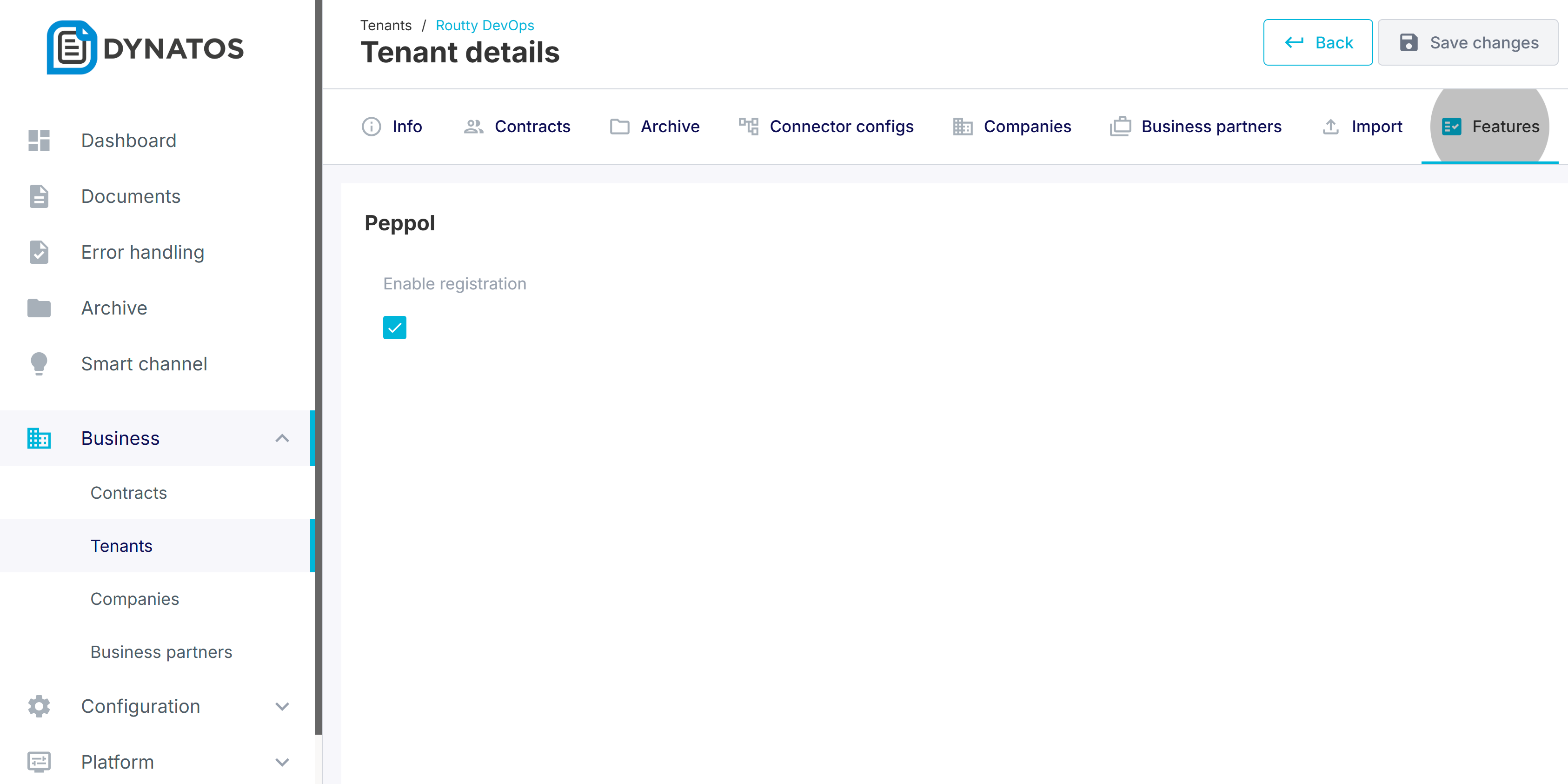
Important: Before starting any registrations, implementation partners must first enable the registration feature on the tenant details page for each tenant.
Prerequisites
In order to start with peppol registrations a few things need to be put in place:
Feature enabled: Tenants must be enabled for Peppol registration by their implementation partner. Partners, in turn, must be enabled by a Routty admin.
Masterdata import: Companies need to be uploaded as masterdata to Routty before the peppol registration can be done.
Feature management
The Feature Management screen allows admins and partners to enable or disable specific functionality. To use the Peppol registration flow, the "Peppol Enable Registration" feature must be enabled for the relevant partner or tenant.
Masterdata Import
Another requirement is the company masterdata. Routty can only start the registration of companies that have already been uploaded to Routty either via API or CSV upload.
Please refer to Using the Routty API or Masterdata for more details on how to upload this masterdata.
How to create a peppol registration
Once the requirements have been met you can start creating Peppol registrations from the Companies overview, as found under: Business > Companies.
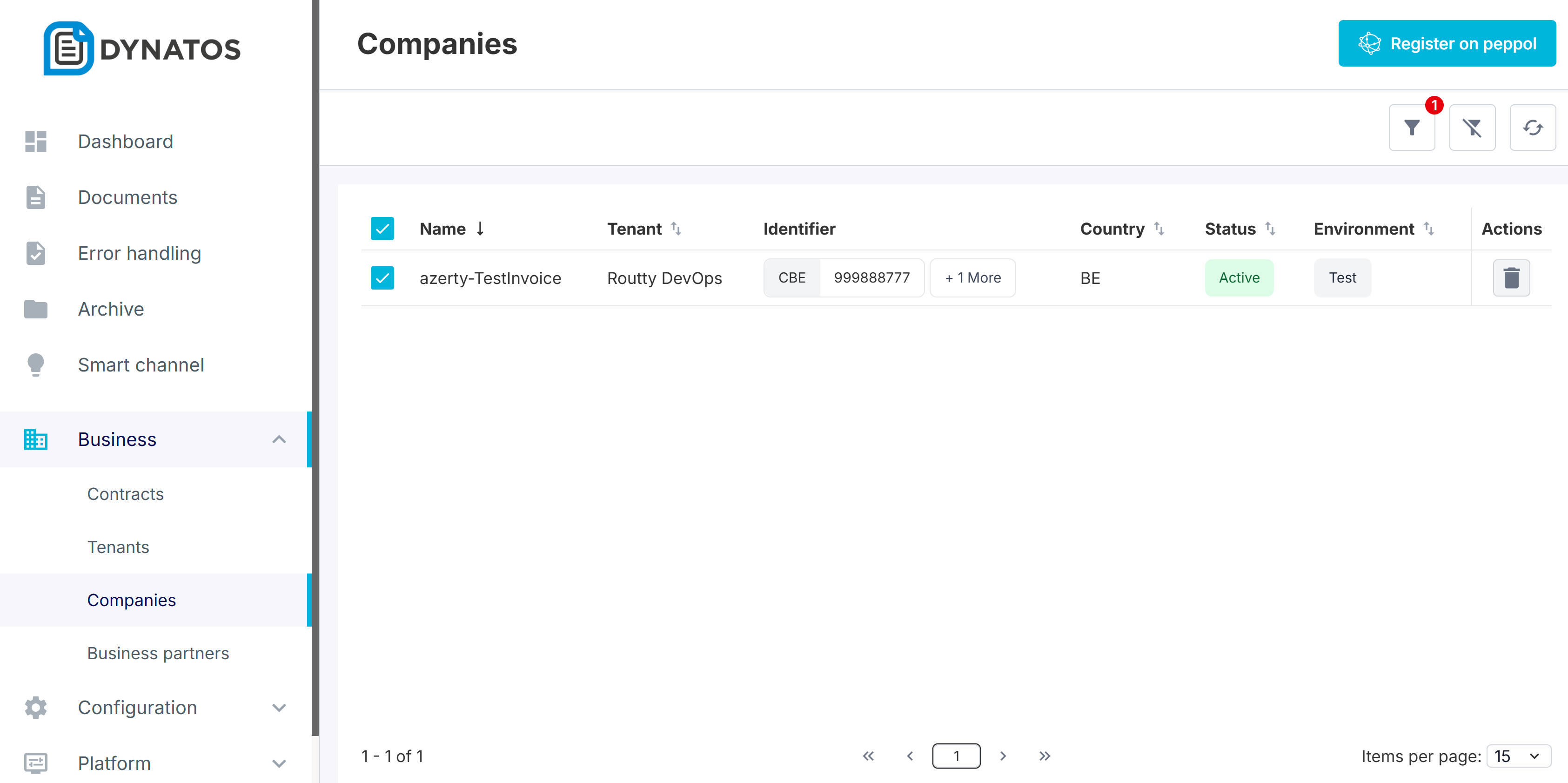
There are three steps to register a company. All fields are predefined where possible, and users can select the appropriate data. For any company identifiers that are manually added on a Peppol registration, the system will automatically create the necessary masterdata identifier entries on given companies during the registration process.
1. Select companies
In the initial step, all necessary information can be selected, including document flows for both inbound and outbound processes, as well as sending and/or receiving in Test or Production environments. Companies can also be filtered and a preview of the selected data for each company is available.
2. Set default document & identifier types
Document types refer to the actual documents that are sent or received by clients after registration. There are many types of documents, but each country has its own default types as well as some specific ones.

For example, in Belgium, we use BIS billing and credit notes V3. In Germany, there is the XRechnung, and in the Netherlands, we also support Simpler Invoicing.
These document types are managed by the admin and will be available as default options based on the country of the company. However, it's also possible for users to select additional document types if needed.
Identifiers are codes used to register specific companies. The type of identifier required depends on the country in which a company is located or wishes to register. For a comprehensive list of identifiers by country refer to: https://docs.peppol.eu/edelivery/codelists/v9.2/Peppol%20Code%20Lists%20-%20Participant%20identifier%20schemes%20v9.2.html . The identifiers could be selected, removed or added based on the company masterdata. In our Belgian case, you can see the registration of the CBE and VAT identifiers. A company cannot be registered twice with the CBE, as the system will automatically prevent duplicates. The same will apply to other countries and identifiers as well.
3. Review & confirm PEPPOL settings
In the final step, you can make any last changes before completing the registration. Once ready, select Finish to finalize. After this, the system will take the necessary steps. If the company is already registered on Hermes, an automated migration to our Access Point will take place. Otherwise, the registration will fail if the company is already registered on another Access Point.
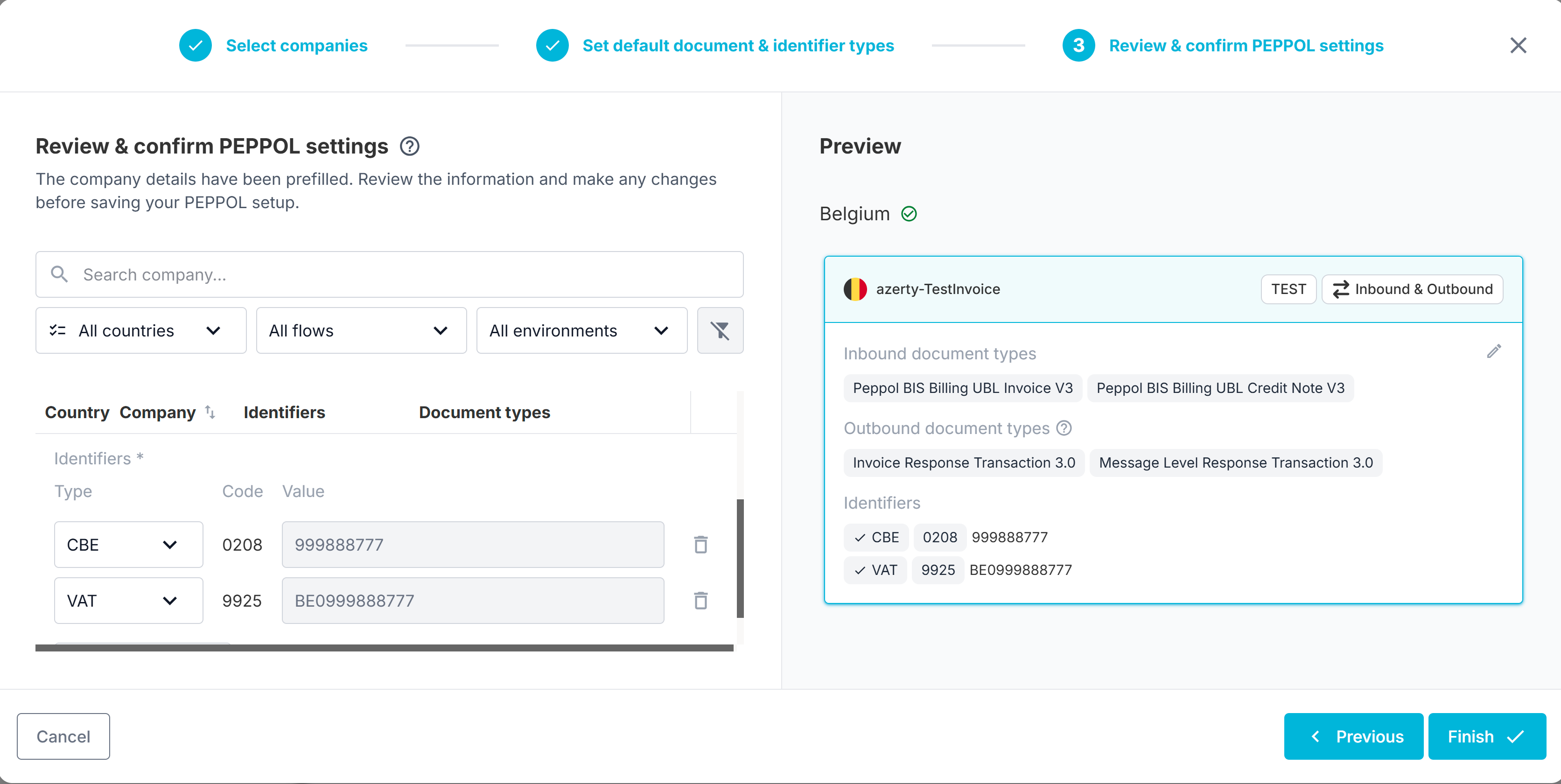
The registration is now available on PEPPOL, and the client can begin sending and receiving documents.


Each registration works idempotent, this means that each integration will overwrite the last registration.
Miscellaneous
Additionally, if certain Peppol document types are missing or your desired registration is not supported (e.g., due to a missing Peppol document type), please submit a support ticket ticket for assistance.