
Archive
Overview
When archiving is enabled on your tenant, all documents processed through Routty are stored in the Routty Archive.
When using the Archive, you can search for and view documents that have been archived. You can filter your search using various fields. Only a handful of fields are shown in the search results overview, but clicking on the documents will open a more detailed view of the document.

To archive already processed documents for a tenant, please create a support ticket at: http://support.routty.io
Archive delay
Each document is only archived 30 days after being processed by Routty. This ensures the archive package contains all relevant information in a single stored object.
If feedback is received after this 30 day delay, it will be added to the archived document, but stored internally as a separate object. From the UI/UX perspective you will not see the difference.
Archive status
To better indicate the process of your documents a new status field is added:
Not applicable: Your document won’t be archived
Either because there are no archive settings enabled for the tenant
Or because the document is a test document
Not started: Waiting for Routty to finish processing the document
Processing: Currently being archived
Waiting for archival: Waiting for the 30 day delay
Success: Document was successfully archived
Error: Something went wrong while archiving the document
In this case please inspect the audit logs of the document to find the cause and contact support.
Reprocessing: Archived document was reprocessed in Routty and is waiting to be reprocessed to Archive
Search results fields
document reference
document date
company
company identifiers (the different identifiers for given company)
business partner (the partner with whom the document has been exchanged)
business partner identifiers (the different identifiers for given business partner)
Fuzzy search:
The Archive includes a fuzzy search feature, allowing you to find documents even if you’re unsure of the exact details. You can search using:
General fields
archive id
document type
document id
document reference
company
company identifiers (scheme and value separately searchable)
business partner
business partner (scheme and value separately searchable)
Metadata fields
Issue date
Due date
Accounting cost
Order reference
Payable amount
Tax exclusive amount
Tax inclusive amount

Metadata fields (attributes) are extracted from the documents based on document type attributes. These attributes are configured by a Routty Admin.
Notes:
Dates are not supported to search on.
Parts of strings can be used to search with when used in combination with an
*.Multiple values can be searched for in multiple columns at once via the fuzzy.
The following example would work: ‘string1 string2 string3’

Currently documents that received updates after being processed in Routty will be shown multiple times in the archive search results. Each of these entries will only contain the changed information. e.g:
Initial entry will contain all document information
Update entry will contain only added audit logs and/or added legal documents
These separate documents will be shown as a single document in a later Routty release (25.2).
Archive AI-based Search
EXPERIMENTAL
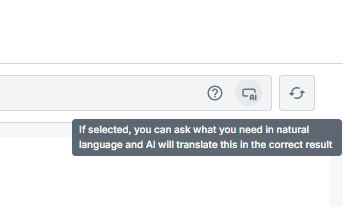
To allow the user to more easily search for their archived documents an AI-based search is added to the archive search bar. With this search enabled the user can query the archive using natural language.
To enable this feature, click the AI-search button on the right side of the search bar:
Document Details
Clicking on a document in the Archive opens a details page, where you can view important information related to your archived document, such as:
Document details
document id
document type
document reference
created on
archived on
Company details
company
company identifiers (grouped by scheme)
Business partner details
business partner
business partner identifiers (grouped by scheme)
Other (Metadata fields)
Issue date
Due date
Accounting cost
Payable amount
Tax exclusive amount
Tax inclusive amount
Order reference
Archive details
Archive end date (the last day this document will be available in our archive)
Retention period (the timeframe on how long this document should be stored)
Storage location (the country where this information is stored)
Files and Attachments
Each archived document also includes:
Files (the original document and any related files, including a file containing the document audit logs)
Attachments (any additional attachments associated with the document before archiving)
Audit Logs
In this tab you can find all archive audit logs, these are separate from the audit logs that were present on a document before. To check document specific audits before the archiving flow started, download the audit-logs file.